Austin
Administrator
-
Joined
Everything posted by Austin
-
Hi Bill, The MYA has a ranking system. Below are links which will help but if you have any other questions please ask. https://mya-uk.org.uk/mya-ranking-positions/ https://mya-uk.org.uk/kb/mya-ranking-rules-and-regulations/
-
Try the following. Enter the menu and navigate to DR EXP (menu page 3) The first setting is the channel setting and should be on channel 1 which is the one you want if your rudder is on the right hand stick. Just below that setting it shows the switch position (SW:UP or SW:DOWN) This applies to switch D on the top right of the TX and depends which way it is switched. Move the switch to the desired position where you want the exponential to be on. When that's done use the Jog key to move the selector down to EXP. You will then notice if you move the rudder stick each way it switches between the two EXP settings. Hold the rudder stick to the full left position and press the + button and set it to about -50%, then hold the rudder stick to the full right position and press the + button to set the other side to -50%. You will see by doing this you change the curve and flatten it out in the middle which reduces the sensitivity around the center point and means you have to push the stick further for less movement. Once done, if you put switch D in the other position it turns off the Expo. You can mess around with the curve and where you want to start it etc. If you want that to work on a different switch, use the jog key and navigate down to the bottom so SW - SWD is highlighted and with the + and - buttons you can change the switch.
-
The list is in the members area Dave. https://mya-uk.org.uk/members-area/
-
It was. Prada looks just a shade faster and covered all options.
-
Finals Day 1 Day 2
-
Shame to see it end that way for Patriot. Looking forward to the finals..
-
Yep, Patriot needs a lot of sorting at this stage.
-
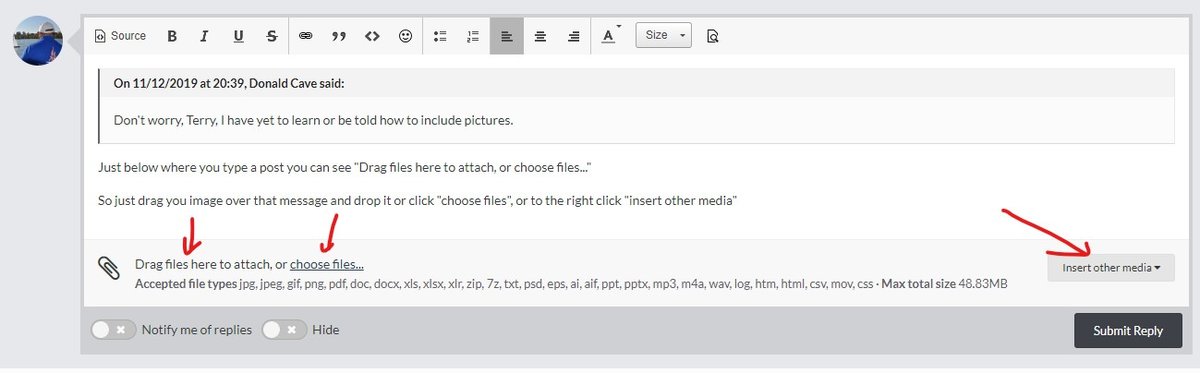
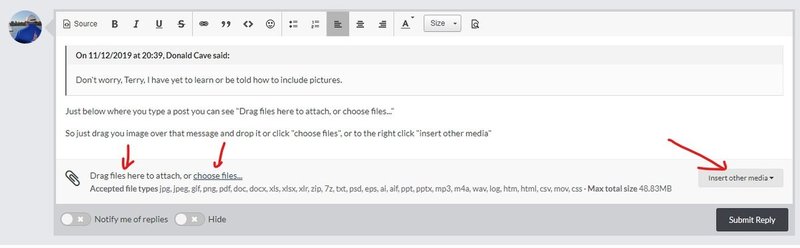
That's good to hear 🙂Something to watch while in lockdown... Most of you probably know the Americas Cup is taking place this year. The PRADA Cup, which is the challenger series, is taking place in Auckland (NZ) and already started yesterday. Those lucky enough to have Sky Sports can find it live on the Sky Sports Mix channel. Those without Sky can find it recorded on YouTube. Team INEOS UK had been struggling previously and not won any races but a lot of changes to their boat in the last couple of weeks has improved their chances of taking on Emirates Team New Zealand, the current Americas Cup holders in the final. I will try and post the videos as they become available. Lots of wind for day 3 🙂The website seems to be fine at the moment. http://nylet-sails.co.uk/Try Potter Solutions, the website is being revamped but they can probably help.Our current guidance is on the website and has not yet changed. When it does we will announce it.Agreed, thanks Paul 👍 Just like to say that we will also be adding a "newsletters page" to the MYA website with links to the web and PDF versions of the newsletters for those that have reported issues reading it in their email clients which is only a couple of people so far.Just below where you type a post you can see "Drag files here to attach, or choose files..." So just drag you image over that message and drop it or click "choose files", or to the right click "insert other media"
 Welcome to Pages! Pages extends your site with custom content management designed especially for communities. Create brand new sections of your community using features like blocks, databases and articles, pulling in data from other areas of your community. Create custom pages in your community using our drag'n'drop, WYSIWYG editor. Build blocks that pull in all kinds of data from throughout your community to create dynamic pages, or use one of the ready-made widgets we include with the Invision Community. View our Pages documentationStandard servo torque wise would be fine but if you can choose a half decent waterproof one it would be better. Hitec HS-646WP HV Waterproof which is high voltage too.