Skip to content
View in the app

A better way to browse. Learn more.

MYA Forum

A full-screen app on your home screen with push notifications, badges and more.

To install this app on iOS and iPadOS
  1. Tap the Share icon in Safari
  2. Scroll the menu and tap Add to Home Screen.
  3. Tap Add in the top-right corner.
To install this app on Android
  1. Tap the 3-dot menu (⋮) in the top-right corner of the browser.
  2. Tap Add to Home screen or Install app.
  3. Confirm by tapping Install.

Stephen Taylor

MYA Member
  • Joined

  • Last visited

Everything posted by Stephen Taylor

  1. Stephen Taylor replied to frayz's topic in IOM
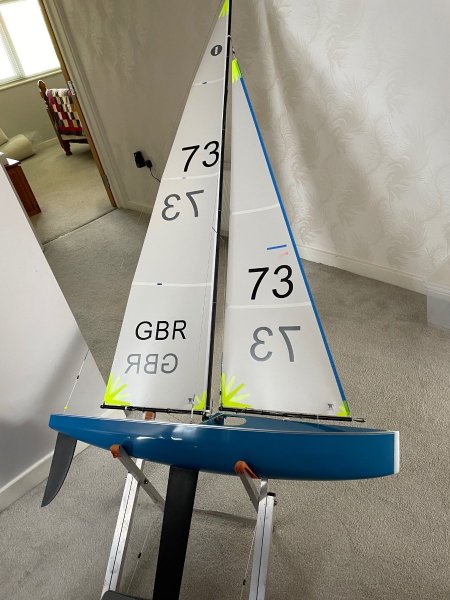
    Started radio sailing last July with a DF-65 month later added a DF-95. Now I have just received my first IOM. It's a Vision, beautifully crafted by Phil Playle. Love This sport.
  2. Useful information graham. I Have my first IOM being built and was wondering whether to add a spare winch to my "critical spares" list. Money saved thanks. I always carry out a post racing clean, lube and air out on my DFs.
  3. Thanks, all very helpful. They are inked numbers on all 4 sets of mylar sails. I have made a start, 20 minutes to do one three figure number .......... patience needed Steve
  4. Just received my Used DF-95 What is the best way to remove the previous skippers sail numbers? Any do's and don'ts? Cheers Steve

Account

Navigation

Search

Search

Configure browser push notifications

Chrome (Android)
  1. Tap the lock icon next to the address bar.
  2. Tap Permissions → Notifications.
  3. Adjust your preference.
Chrome (Desktop)
  1. Click the padlock icon in the address bar.
  2. Select Site settings.
  3. Find Notifications and adjust your preference.