cdelatorrejr
New Forum Member
-
Joined
-
Last visited
-
All, I received detailed programming instructions, specific to the Kingmax SW22HV winch servo, from one of my “go to” suppliers in the US. I haven’t tried it yet but it provides the settings for various turns (2T through 7T). I created the following write up. Kingmax SW22HV Winch Servo utilizing SP01 Program card Once programmer connected to servo and PC, complete the following steps: 1. Click "Reflash USB". 2. Click the "Read Config" from the servo. This will pull all settings from servo and populate the configuration. Make sure the Pulse Width (Pulse Lower & Pulse Upper) are correct as specified by model (800ms-2200ms for Kingmax SW22HV). 3. Adjust number of turns/rotations needed: 1.5T: -51/-49 (left range/right range) 2T: -46/-45 (left range/right range) 2.5T: -42/-41 (left range/right range) 3T: -39/-37 (left range/right range) 3.5T: -34-33 (left range/right range) 4T: -30/-30 (left range/right range) 4.5T: -26/-25 (left range/right range) 5T: -22/-22 (left range/right range) 5.5T: -19/-18 (left range/right range) 6T: -14/-14 (left range/right range) 6.5T: -11/-10 (left range/right range) 7T: -6/-6 (left range/right range) 4. Write settings back to servo by clicking "Write Config". Hopefully this will be helpful for others programming the Kingmax SW22HV winch servo or other similar servos for their specific needs.
-
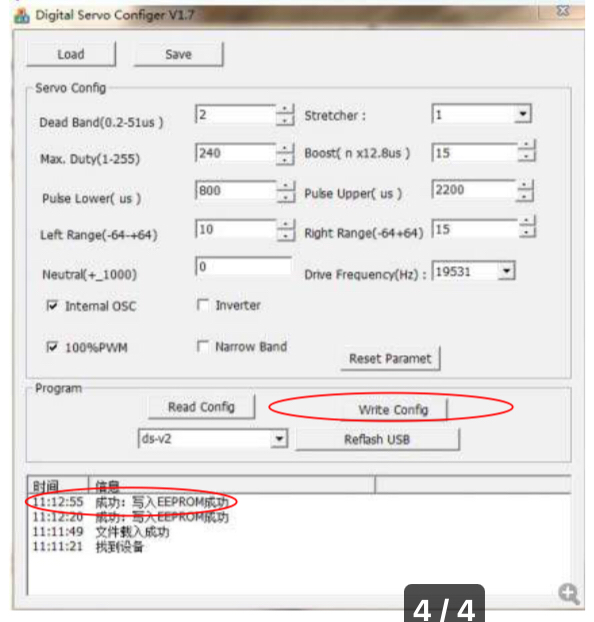
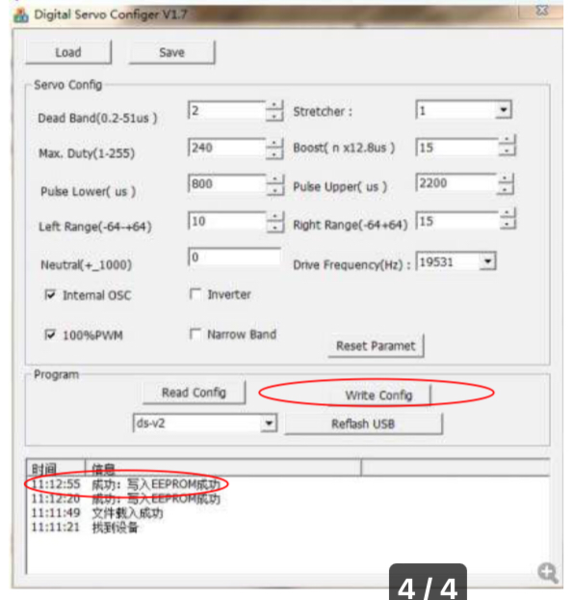
@RoRoThanks for the tip. On the instructions to use the software, it did provide a screen grab of configuration for a Graupner sail winch - see below. The left range is 10 and right is 15. I’m assuming this is configuration for 5T. @John Ball Based on the calculation with a winch diameter of 35mm, the number of turns would be 2.5T. So, I would set the left range to 10 and right to 12.5 for this configuration. Again, now that I have some idea I will play around with the servo and programmer card. Thanks all for your advise to get me started.
-
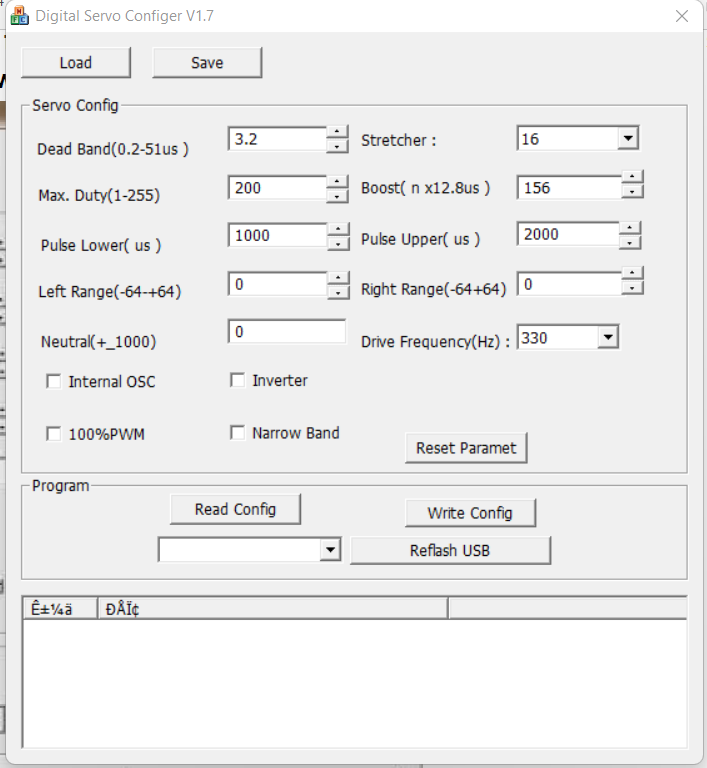
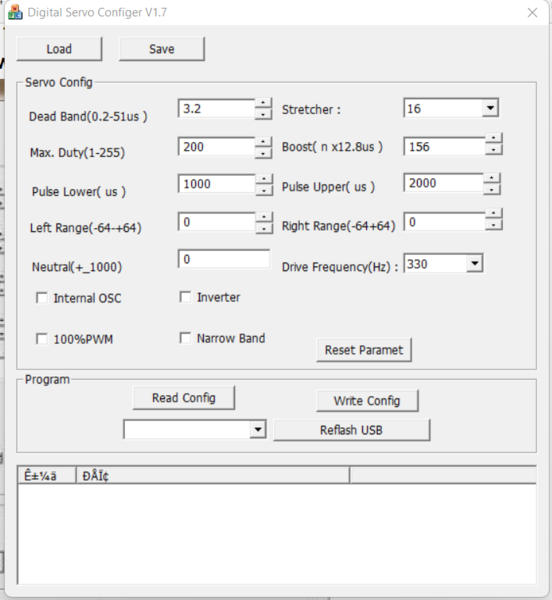
@RoRo Thank you, I did purchase the programmer. According to specs,1500ms is the neutral pulse, the pulse width range is 800-2200ms and one turn is 1000ms-2000ms, how would I configure for 2T, 2.5T, 3T through 7T? This is where I am stuck. Below is a screen grab of the programmer software. I don't know how to configure the settings for the various number of turns.
-
@John BallThanks for the info. This will help me to determine the number of turns. Now, all I need is how to program this in the Kingmax SW22HV.
-
Hello all! I picked up a Kingmax SW22HV (2T) with programmer. I will be using in my new IOM build. I was looking online on instructions how to program the number of turns from 2T all the way to 7T. I will be using a 7.4V battery. Can anyone direct me to instructions online that explains how I can program the number of turns/revolutions? Also, this is my first IOM build and wondering what your thoughts are on how many turn/revolutions will be needed for my IOM. Thanks in advance.